



How to request for Grade 10 Senior School Placement Transfer {MoE Step-By-Step Guide}
Here is a step-by-step guide on how to apply for Grade 10 Senior School Placement Transfers online:
Placement System Junior School User Guide
Step 1. Open any browser and search for https://placement.education.go.ke. This link will take you to the landing page, like in the image below;


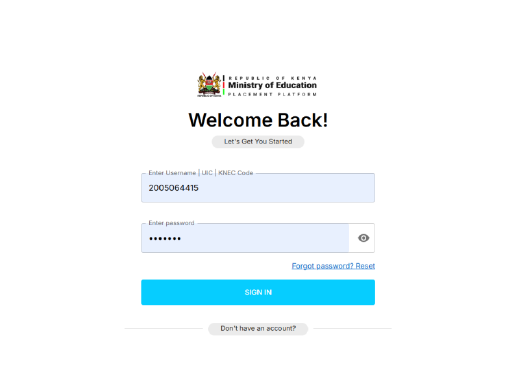
Step 2. On the landing page, click on ” Log in and it will take you to this page

Also read: Grade 10 Replacement dates and guidelines
Step 3. Type in the Junior School selection username and password. Please be keen here.
Step 4. Then you will be prompted to fill in the Verification code shown above on that page.
Step 5. On the home page that is shown below, click on REQUEST TRANSFERS on the left side bar.


Step 6. This action will avail all the Learners in your school and the senior school placed as shown in the image below.

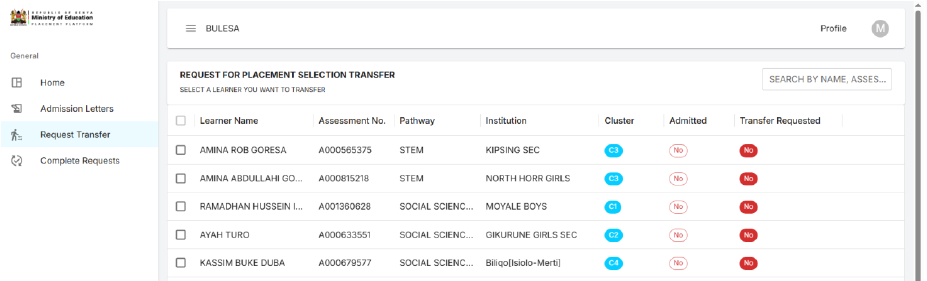
Continue reading: Education Ministry Circular on Selection & Placement of Grade 10 Students {Latest}Step 7. Select the learner you wish to transfer, then click the next button at the far right bottom-most corner. The action will bring you to the next step, where you are expected to select the institution type.

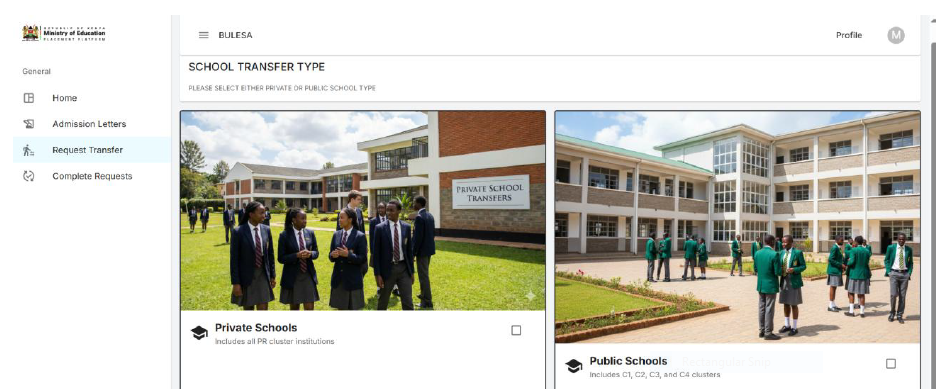
Step 8. Select the institution type you wish to transfer to, either public or private, and click next. This action will navigate you to a section where you are expected to enter the reason for transfer.

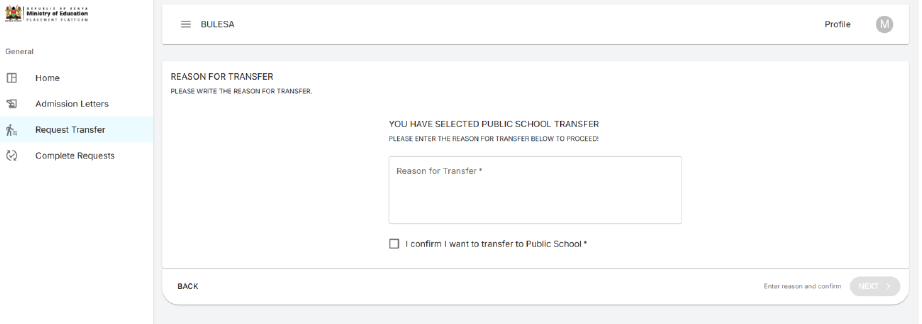
Step 9. On clicking the next button below this page, you will be navigated to a section where you are expected to select the pathway.


Step 10. Select the pathway and click next. This action will navigate you to the next page, where you select the subject combination.


You may also like: Grade 10 Placement: How to change placement school & requirements
Step 11. Select the subject combination and click next. This action brings you to the page where you are expected to select the school that you wish to transfer to.

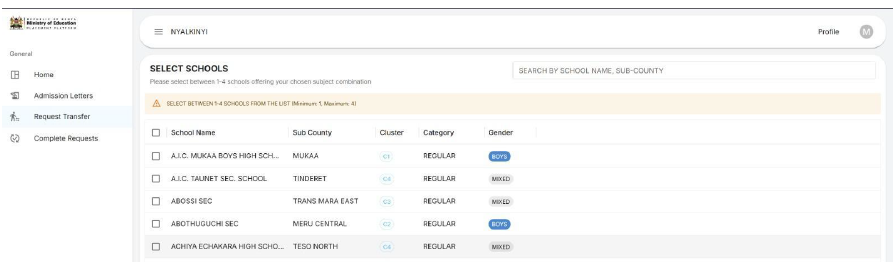
Step 12: Select the school and click next. This will now navigate you to a page where you should confirm your transfer details.


Step 13: Confirm your transfer details and click submit. Now the transfer request is complete.