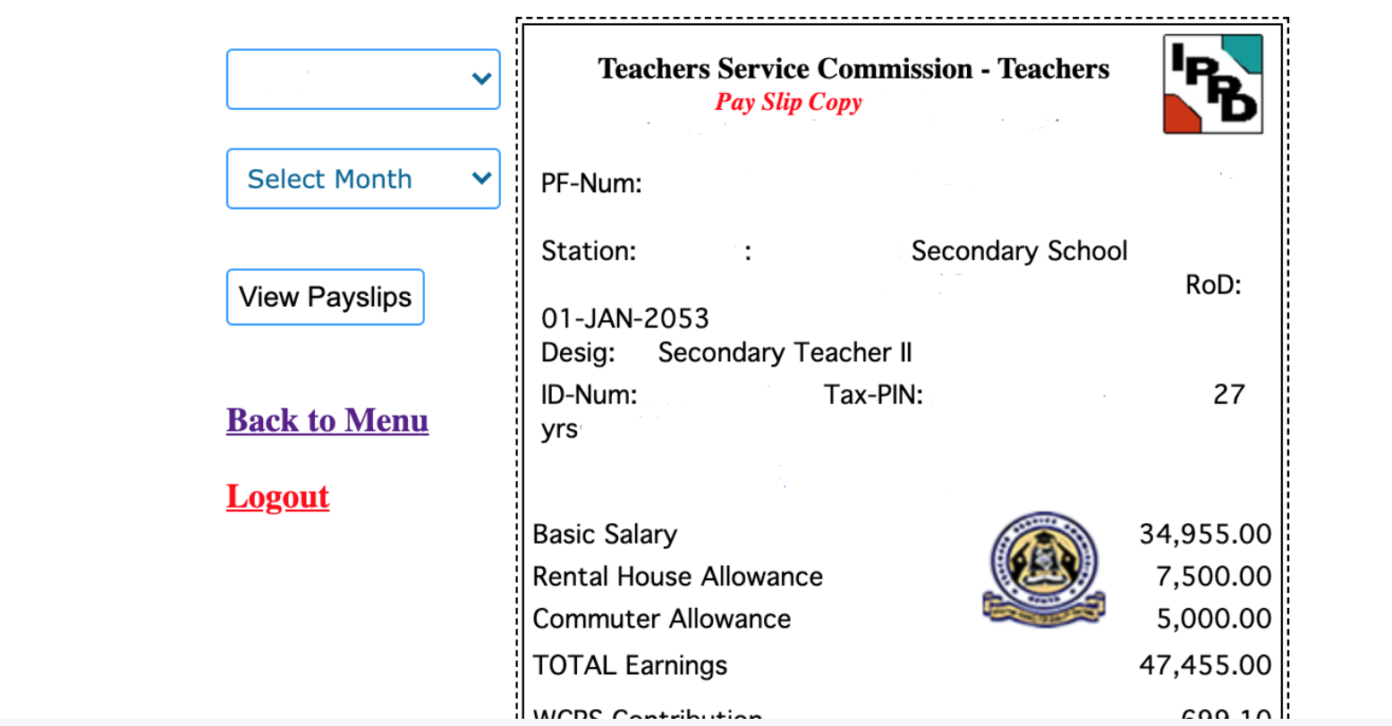
T-Pay: Treasury Raids TSC Teachers’ Payslip Further; Check Out the New Deductions
Advertisements
TSC T-Pay News Today: The latest TSC T-Pay News indicate that teachers will suffer another blow following the directive below.
Teachers and other salaried employees face potential income reductions if a Treasury proposal to eliminate tax reliefs on pay-as-you-earn (PAYE) taxes is approved.
Advertisements
Educators and other workers currently receive a personal tax relief of Sh2,400, which is typically shown on their monthly pay statements. The Treasury’s newly released medium-term revenue strategy aims to reassess existing tax relief on employment earnings to maximize revenue collection.
The Treasury argues that while tax incentives can influence taxpayer behavior, they come at a cost in terms of lost tax revenue and make the tax system more complex. Studies suggest that these incentives may not always be effective in influencing behavior.
Currently, salaried workers benefit from two types of PAYE tax reliefs, including the Sh2,400 monthly personal relief for resident individuals, designed to reduce the tax burden.
Additionally, salaried workers who pay insurance premiums for life, health, or education policies for themselves, spouses, or children can claim a 15 percent relief, up to a maximum of Sh60,000 annually. These policies must have a maturity period of at least 10 years to qualify.
Starting last year, contributions to the National Hospital Insurance Fund (NHIF) became eligible for insurance relief.
The Treasury’s proposal to eliminate one or all of these tax reliefs has raised concerns among tax experts. They believe it would further impact the disposable income of households already adjusting to the newly introduced housing levy and higher deductions to the National Social Security Fund.
To address this, the Treasury has suggested mitigating measures, including introducing a new PAYE tax band at zero percent for low-income earners.
Simultaneously, the government is considering reducing the top PAYE tax rate from 35 percent to 25 percent to prevent tax avoidance and evasion, following the introduction of new tax bands in the 2023 Finance Act.
These changes could have significant implications for various income groups, with most employees in Kenya earning less than Sh100,000 per month and some not paying PAYE taxes at all due to the existing personal relief.
TSC T-Pay 2021; Fresh Menu and e-mail activation for all Teachers
As the payday nears, it is very important for all TSC employed teachers to know about the latest changes introduced by their employer on the TSC T-pay portal online.
Here are the key changes recently introduced on the T-pay system 2021
1. Increased number of third parties
The system now has a function which allows teachers to send their latest payslips to 30 parties including SACCOS and banks to facilitate loan gain.
List of operations teachers can perform once they log onto the T-pay portal online
Once the teacher has logged in, they can accomplish the following operations: viewing payslips, mailing payslips to third parties, accessing P9 forms, altering passwords, and accessing third-party information and transactions.
As you check the teacher’s online payslip, do not forget to activate your email. The deadline for activation is 30th April 2021. Also, remember to file your tax when the systems are not yet overwhelmed.
How To Activate your TSC Email For E-Platform, Virtual Meetings, Remote Learning etc
The Teachers Service Commission in March 2021 introduced an e-platform for official emails, virtual meetings and remote learning for all active TSC employed teachers.
The e-platform targets all teachers employed by the Commission and those currently working on internship terms.
In a bid to achieve this, all Heads of Institutions and teachers including those on internship are required to activate their email accounts provided on the platform and use it for all communications to the Commission.
Select Online Services and from the drop-down select Teachers Email Activation.
A new page (https://tscsearch.azurewebsites.net/) will load with a field where you will be required to fill your TSC Number and click next.
A new field requiring your ID Number will appear, fill and click VERIFY.
Verify the images and click Verify.
Your details which are already uploaded in the Commission System will be verified.
Click on the eye icon to view and record you official email and the temporary password.
Click on the office.com to go to the site.
Enter your email as per the record you had taken.
Enter the password you had recorded, thereafter Click next to continue.
Additional information will be needed to secure your account and for future password verification.
Select I want to set up a different method
Click on the drop-down and select phone
Then Click confirm
The next field will request for the teacher’s mobile number. This number must be the teacher mobile number, it will be used in future to reset password and carry-out other important Commission Transactions including pay-slip activities. Once done click Next.
Select the Country and enter the mobile number. This must be your number and you should have the phone with you.
A code will be received in the phone provided for verification.
Enter the code in the space provided as below and click Next.
Once the code is entered the account will now be activated.
Click Next to proceed.
Click Done to complete the process.
You will now be required to change the password to put yours.
Enter the password recorded earlier as the “Current password” then enter your new password and confirm it. Don’t share this password with anyone as it will compromise your accounts.
The account is now ready for use.
Enter the email address and Click Next.
Enter the code sent to your phone and click Next.
Click on the box Don’t show again and select No to proceed.
Click on the outlook icon to access your emails.
Your email account is now ready for use.
Always remember to sign off once done if you are using a public computer.
For Assistance
You can also download outlook app and install into your phone or tablet/iPad for those with smartphones.
For any queries related to the email activation, you can get assistance from the ICT Champion teachers, TSC office near you or you can email to emailactivation@tsc.go.ke.