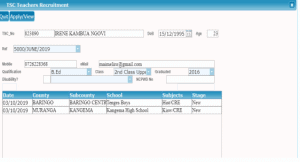
The Teachers Service Commission (TSC) has advertised Five thousand (5,000) posts for recruitment of Secondary School teachers to support the 100 percent transition policy from Primary to Secondary Schools. Also advertised are 6,574 vacancies to replace teachers who have exited service through Natural Attrition (5,474 posts for Primary Schools and 1,100 posts for Secondary Schools).
In a shift from the norm, interested applicants will now be forced to submit their applications online. This is opposed to the previous mode of application where applicants had to physically visit schools where vacancies exist to file their applications.
Are you worried on how you can submit your application online? Well. Worry not. See the simplified procedure below for your reference;
HRMIS ONLINE RECRUITMENT MANUAL FOR TEACHERS- HOW TO APPLY FOR ADVERTISED TSC POSTS ONLINE.
A. Primary Teachers Online Application
1. Visit the TSC online recruitment portal by using the link; http://hrmis.tsc.go.ke. Click Career then Teachers/Secretariat then CLICK apply for teachers
Recruitment/Internship. The screen below will be displayed.
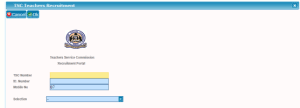
2. Type in the TSC No, ID number and mobile and choose your selection either
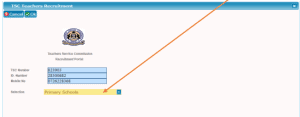
primary or secondary by clicking the drop down menu as shown below and click ok
(i) This screen below shows the selection for primary
3. The sms code from TSC Kenya will be send to the applicant mobile phone
and the screen below will appear
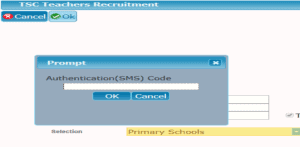
4. Type in the sms code as shown below and click ok
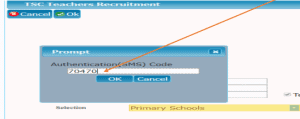
5. The screen below will be displayed. Click on Apply/view as shown below
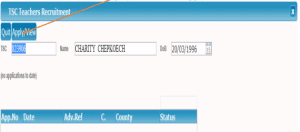
6. The screen below will be displayed where the applicant will fill in the details
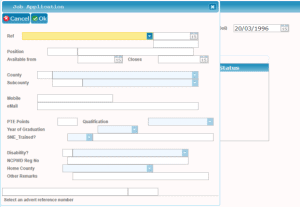
7. Choose the Ref from the dropdown as shown and fill the other details not
auto filled and click ok
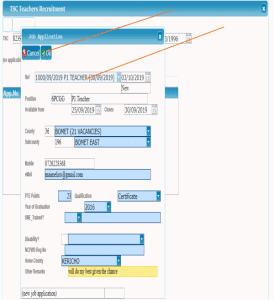
8. The screen below will be displayed. Click yes as shown
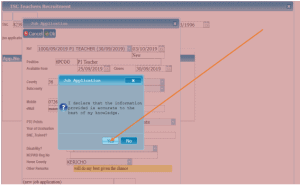
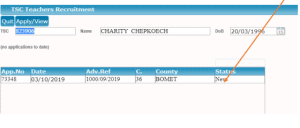
9. The screens below will be displayed showing the list of applications done by
applicants.
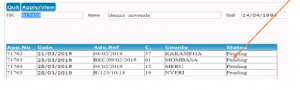
NOTE: The teacher can make several application in different counties/sub counties
(i) This is one application
(ii) List of several application for different counties
B. Secondary teachers Online Application
1. Click Career then Teachers/Secretariat then CLICK apply for teachers Recruitment/Internship. The screen below will be displayed.
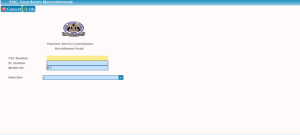
2. Type in the TSC No, ID number and mobile and choose your selection i.e Secondary by clicking the drop down menu as shown below and click ok
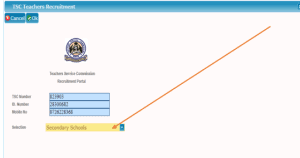
3. The sms code from TSC Kenya will be send to the applicant mobile phone and the screen below will appear

4. Type in the sms code as shown below and click ok as shown
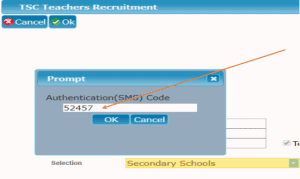
5. The screen below will be displayed for secondary teacher. Click on Apply/view as shown below
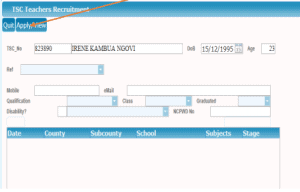
6. The screen below will be displayed where the applicant will fill in the details

7. Choose the Ref from the dropdown as shown and fill the other details not auto filled and click ok as shown below. Click the button +click here to apply a school as shown;

8. On clicking +click here to apply a school the screen below is displayed
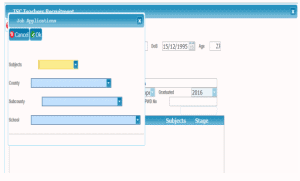
9. Choose the subjects, county, sub county and school and click ok as shown below;

10. The screen below is displayed showing the date, county, sub county, school and stage of the application;

11.The teacher can apply for several vacancies as shown below. CLICK OK;

12.The screen below is displayed then CLICK yes as shown

13.The screen below is displayed and the application is completed